

Photography profiles from a brand’s photos
Send a brand’s photos and get back what they look like: the traits most of them share, what varies between them, and the tone measured from their pixels. Give it to your agents when they create new imagery, so it matches the brand’s photography and not just its colors and type.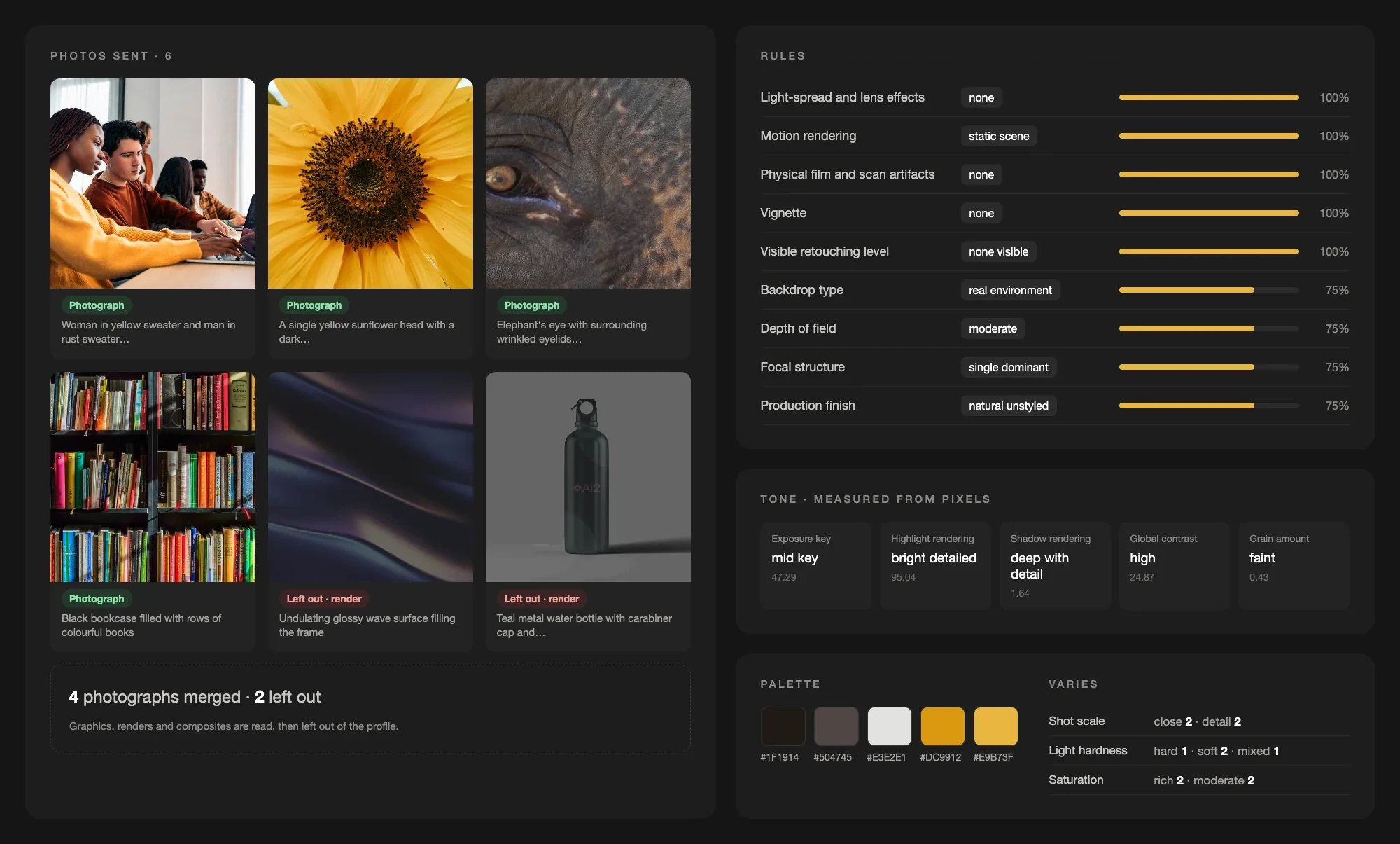
Six Ai2 images sent: four photos merged into one profile with shared traits, tone measured from pixels, and the palette. An abstract render and a product mockup are read, then left out.
- From a brand kit: give your agent a brand kit, have it take the brand’s photos from the kit, and send them to the photography endpoint. The profile it gets back describes how the brand’s photos look, so the new photography your agent creates stays aligned with the brand.
- From a website: do the same with a website extraction. Send the site’s images and use the profile to create, for example, a new subpage whose photography matches the rest of the site. Any graphics or illustrations among those images are left out on their own.
POST /design/submissions/photography and read the profile from GET /design/submissions/{id}/result, as with any submission. Photography submissions appear in GET /design/submissions with kind: "photography"; filter them with ?kind=photography. Each submission costs 2 credits, refunded if no profile comes back. See Photography profile.Brand kits from guidelines PDFs
Upload a brand guidelines PDF and give your agents what they need to create new on-brand assets: the palette and how much of each color to use, typography, logos and how not to use them, photography, graphics, buttons, cards, motion, and the book’s own rules. Use it when the brand lives in its book, not on a website.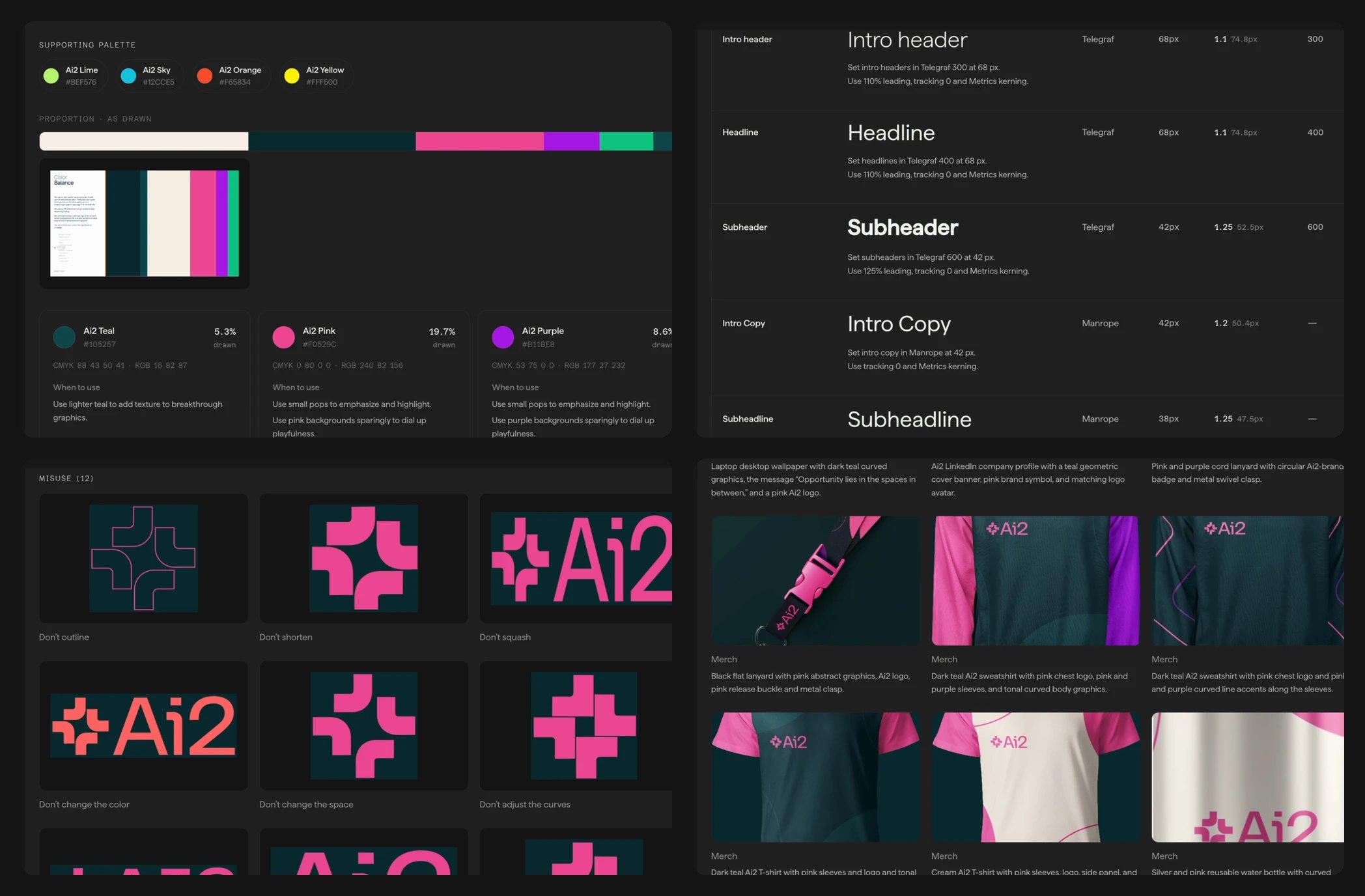
A brand kit from a guidelines PDF: colors with their proportions, the type hierarchy, logo misuse, and applications.
POST /design/submissions/brand-kit and read the result from GET /design/submissions/{id}/result, as with any submission. The result’s design_system.kind is brand_kit. Filter GET /design/submissions with ?kind=brand_kit or ?kind=website.Brand assets from across the web
Extract brand imagery from ads, social channels, and campaigns alongside the website’s design system. Each image includes a hosted URL and a short descriptive label, giving your agents visual references for creating on-brand content.Open Brand Assets in the extraction result to explore the full collection, labels, and sources. See Brand assets for supported sources and API examples.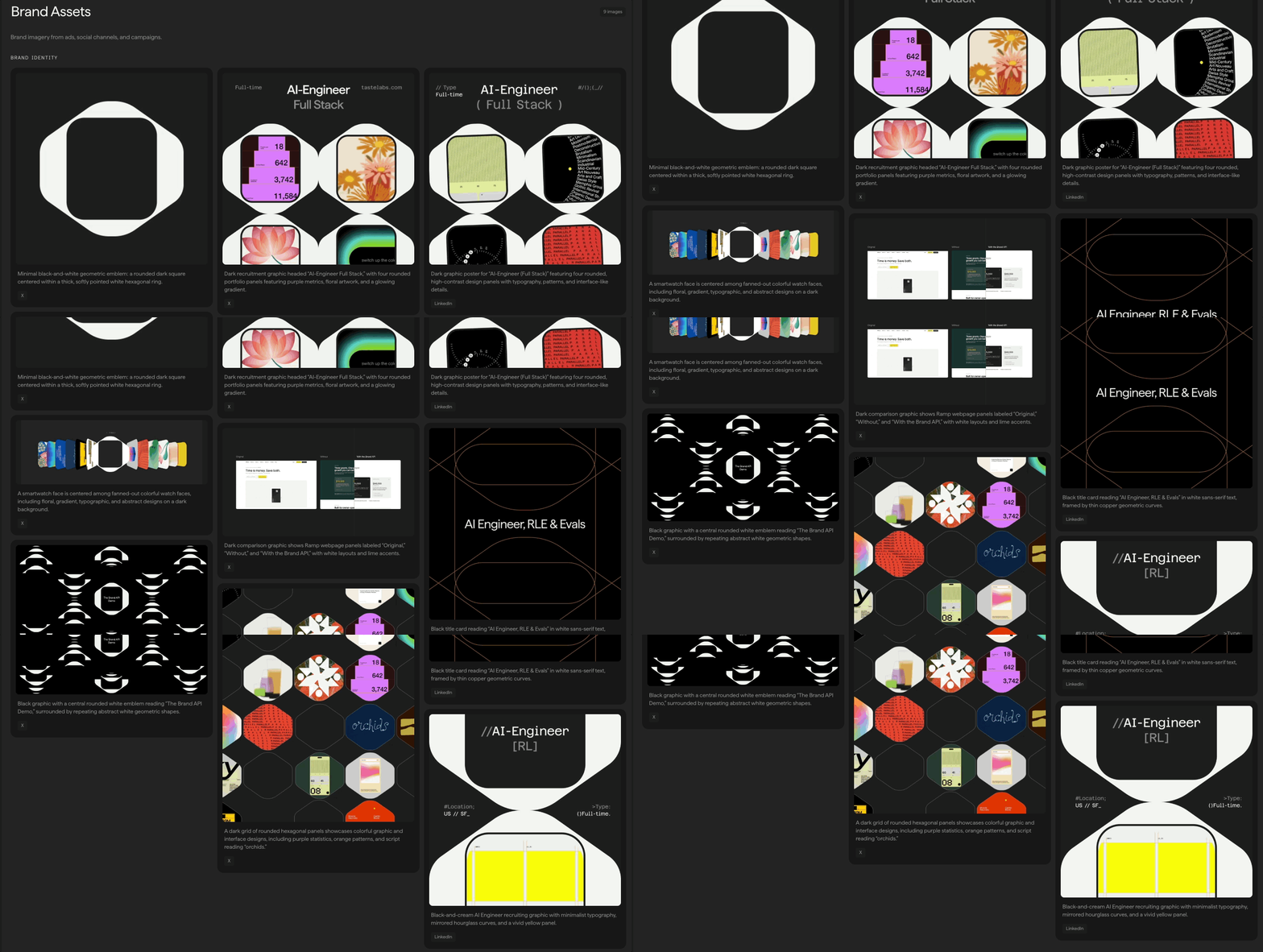
Explore the full collection in Brand Assets.
result.design_system.brand_assets. To extract only brand assets, pass "sections": ["brand_assets"] to POST /design/submissions.Fresh extractions onlyExisting results are not updated automatically. Submit a new extraction with "force": true to bypass a cached result and include brand assets.Selective extraction and brand taglines
Choose which parts of a design system to extract, and read the brand’s existing tagline in its profile.Selective extractionPass an optionalsections array to POST /design/submissions or the MCP extract_brand tool to choose the work before extraction starts. Selecting fewer sections can reduce latency compared with a full extraction. For example, extract only colors and typography:sections or pass null to keep the existing full-extraction behavior. The sections query parameter on GET requests still only filters an existing result.See Extract only selected sections for supported sections, caching behavior, and restrictions.Brand taglinesRead the new result.design_system.profile.tagline field when your extraction includes profile. The extractor copies an existing tagline from the submitted page, preserving its original language, capitalization, and punctuation. It returns null when the tagline is absent, unreadable, or ambiguous. It does not generate a slogan or substitute a hero headline.See The brand profile for the field reference and an example.Introducing our Brand adherence verifier
Give the engine a reference site and a page to judge against it, and it returns a verdict: onescore from 0 to 1, prose recommendations, and structured fixes with exact target values. Use it in an agent loop to align with the brand on each iteration, for example while building a new subpage, to score a generated page against the brand it was prompted with, or to measure how far a redesign drifted. See Brand adherence.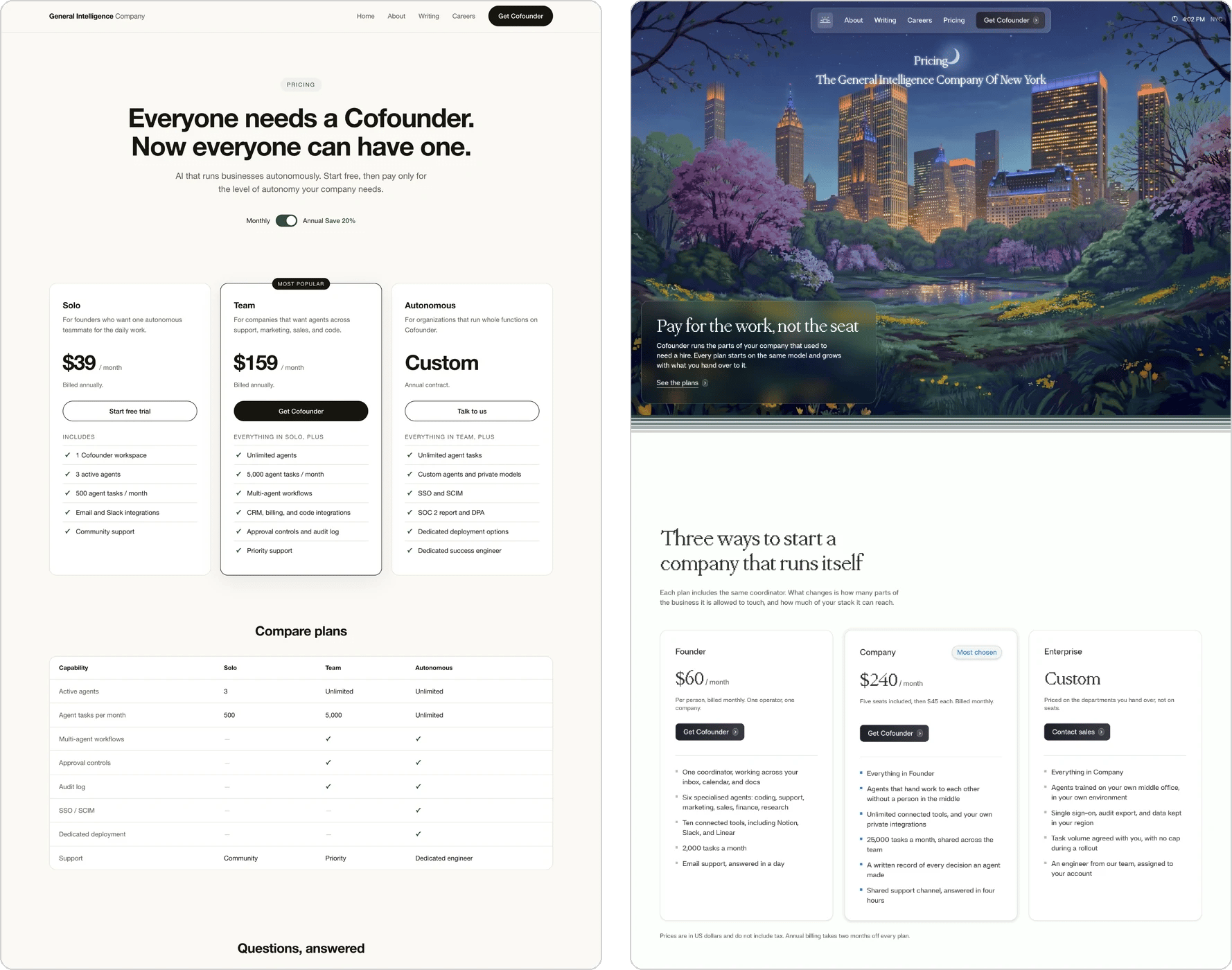
The same pricing brief, built without Taste Engine on the left and with brand adherence on the right.
POST /judge/brand-adherenceGET /judge/brand-adherence/{job_id}GET /judge/brand-adherence/{job_id}/resultGET /judge/brand-adherencePATCH /judge/brand-adherence/{job_id}/visibility
brand-adherence skill builds a page inside a brand and verifies it with the Verifier.Introducing our Brand search
Describe an aesthetic in plain language, or point at one of your own extractions, and get back ranked brands from the curated corpus. Use it when you don’t have a brand yet and need to inspire the model: you know the feeling you want, not the URL that has it, so search for the look, pick a result, and extract it to build from a real design system. Search is synchronous: there is no job to poll, the call returns the results. See Brand search.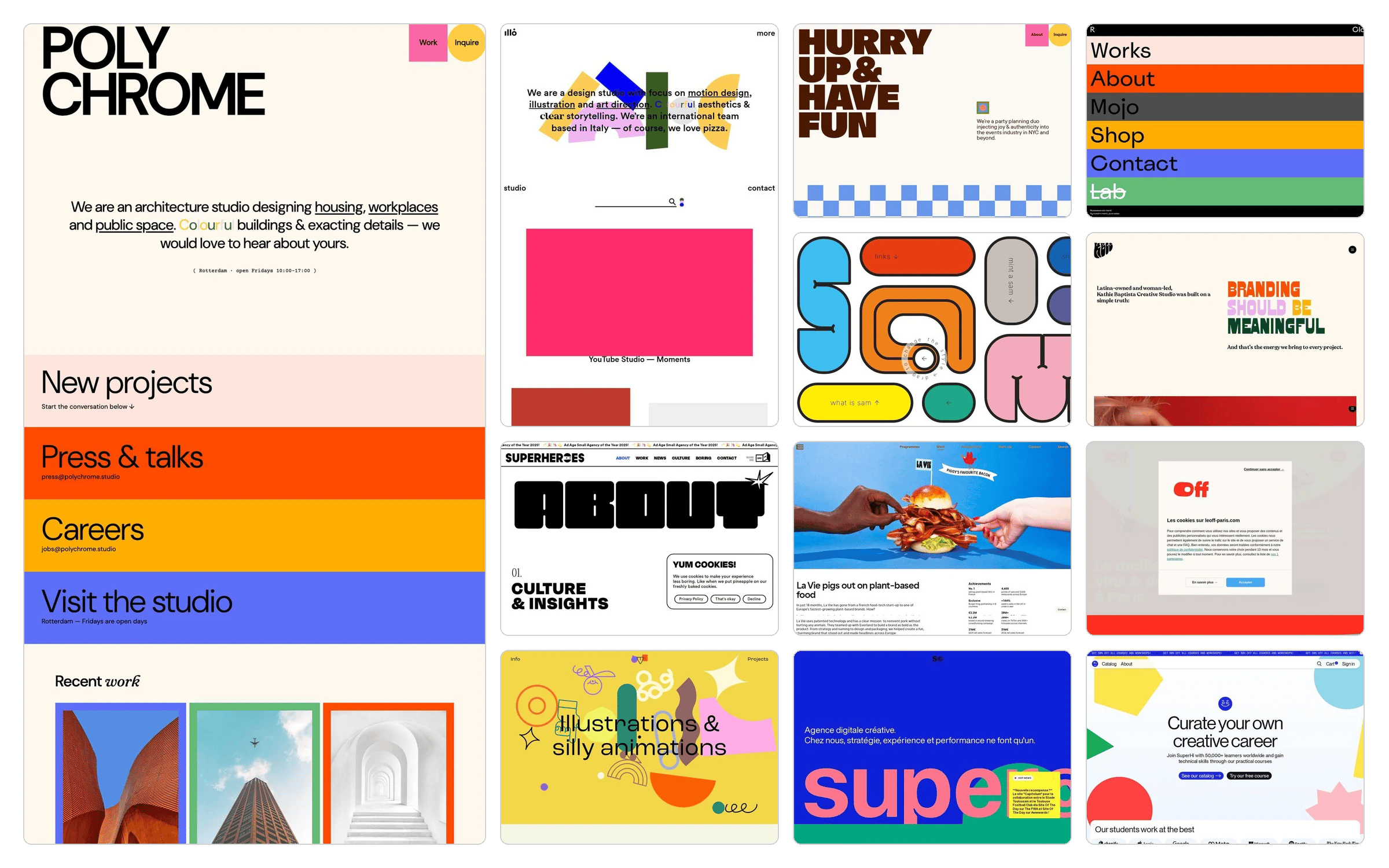
The brief: “Thinking about designing a colorful, vibrant contact us page for an architecture firm to invite potential clients to connect.”
brand-search skill grounds an agent’s design decisions in real references from the corpus.Introducing our Brand extractor
Submit any URL and get back a structured design system: colors, typography, layout, surfaces, components, and a brand profile, plus the captured HTML, CSS, screenshots, and assets it was built from. When you already have a brand, use it to build a faithful replica of a site from its verbatim tokens, fonts, components, and assets, to create a new page or asset that follows that brand’s context as if its own team shipped it, or to generate code straight from the colors, typography, and components. Extraction runs as an asynchronous job: you submit, poll, and read the result. See Extract a brand.APIPOST /design/submissionsGET /design/submissionsGET /design/submissions/{id}GET /design/submissions/{id}/resultGET /design/submissions/{id}/downloadPATCH /design/submissions/{id}/visibilityPOST /design/prompts/enhance